Papyrus Digital Solutions
Managers had the data. Finding it was the problem.
How I reworked FieldMaxPro's core modules and added new ones so sales managers could find their field teams' real-time data.
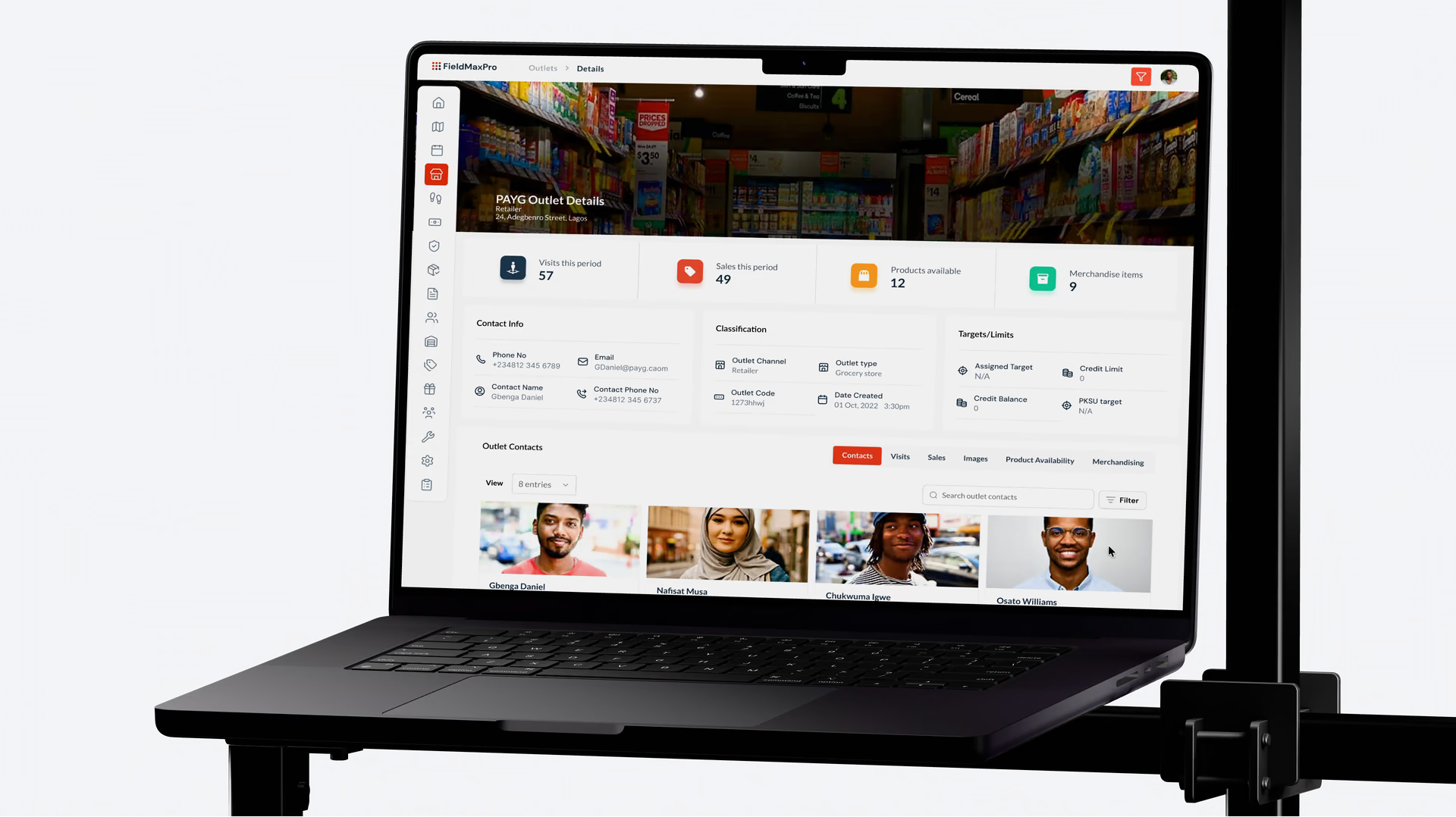
FieldMaxPro is a sales operations platform. Companies use it to manage reps who visit pharmacies, shops and hospitals, and managers check its dashboard every day to see what their teams are doing in the field. Many of its clients are pharmaceutical companies.
CLIENT
Papyrus Digital Solutions
ROLE
Sole product designer (contract)
TIMELINE
6 weeks, Aug to Sep 2022
TEAM
Papyrus's engineering team of about 6
What managers couldn't find
FieldMaxPro was already collecting the data managers needed, but they couldn't get to it. A manager could see how many units a rep was carrying, but not which products, which batches or when they expired. Notes from visits were stored inside each visit record, so reading a week of notes meant opening every visit one at a time. The map showed a separate pin for every outlet even when zoomed out, so whole regions turned into a solid block of pins. Complaints about the dashboard kept reaching customer support.
How I approached it
I reorganised the dashboard around the information managers needed during the day: stock by rep, an outlet's history, visit notes, and a rep's route.
Stock and batches
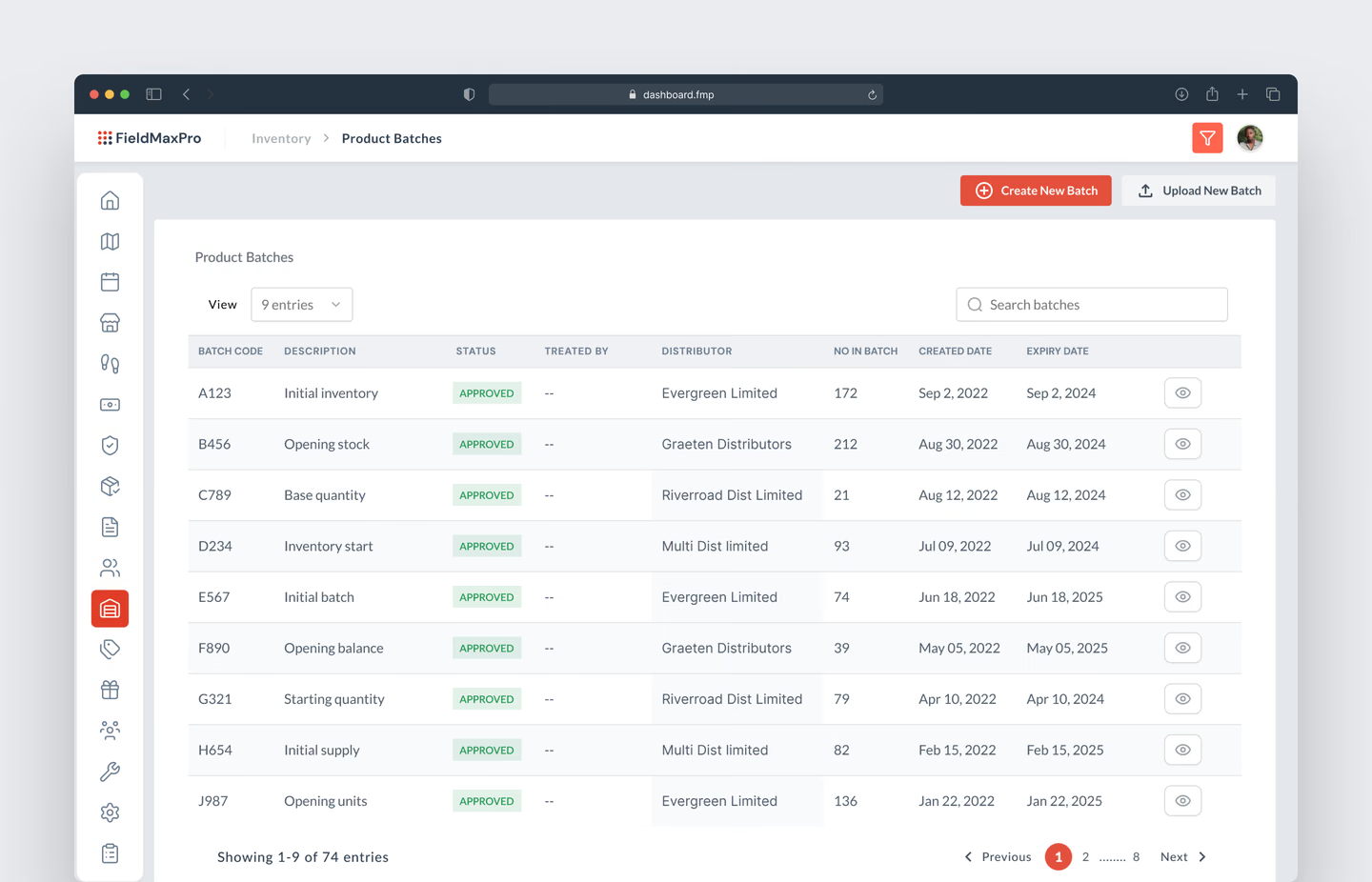
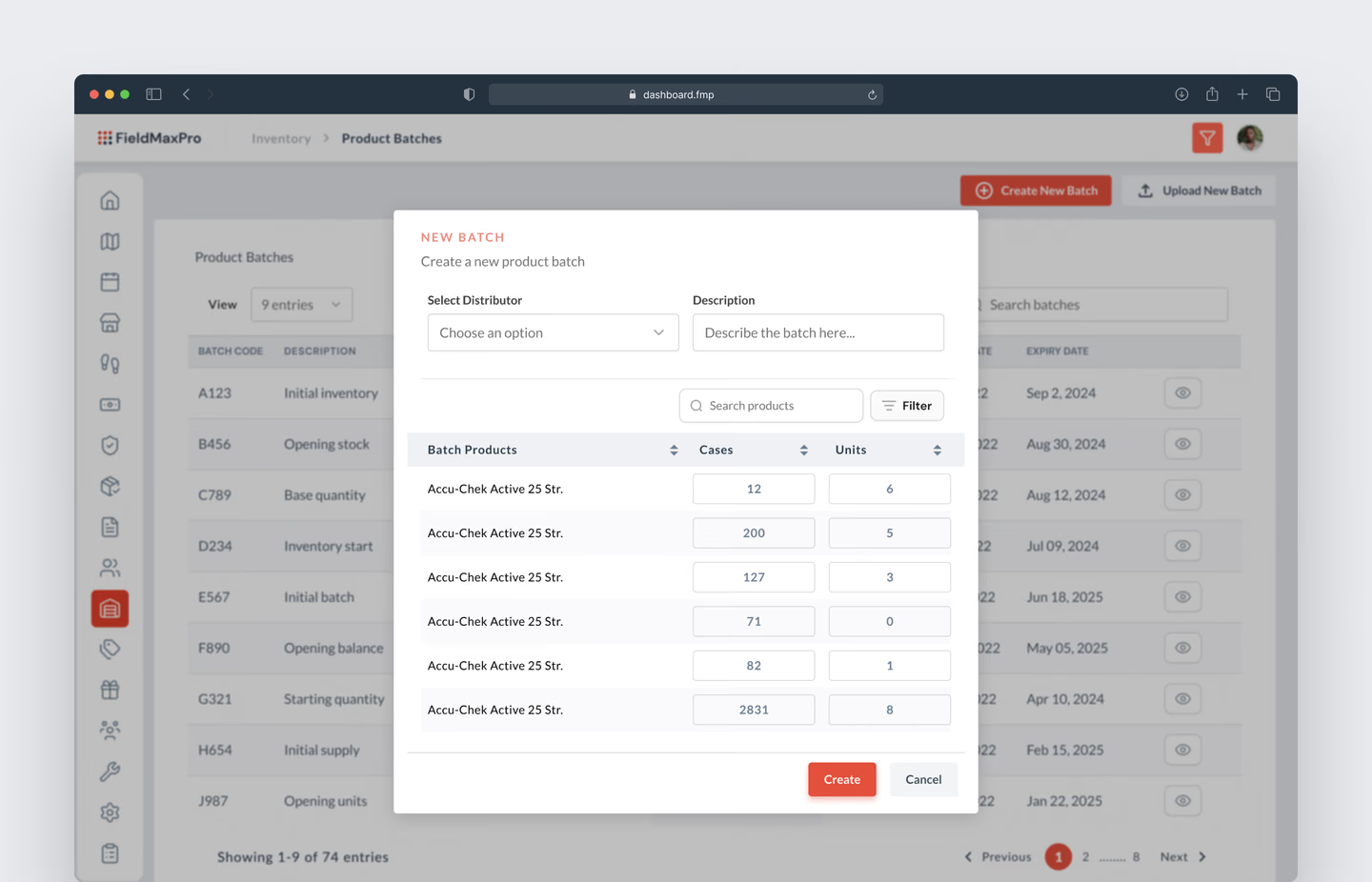
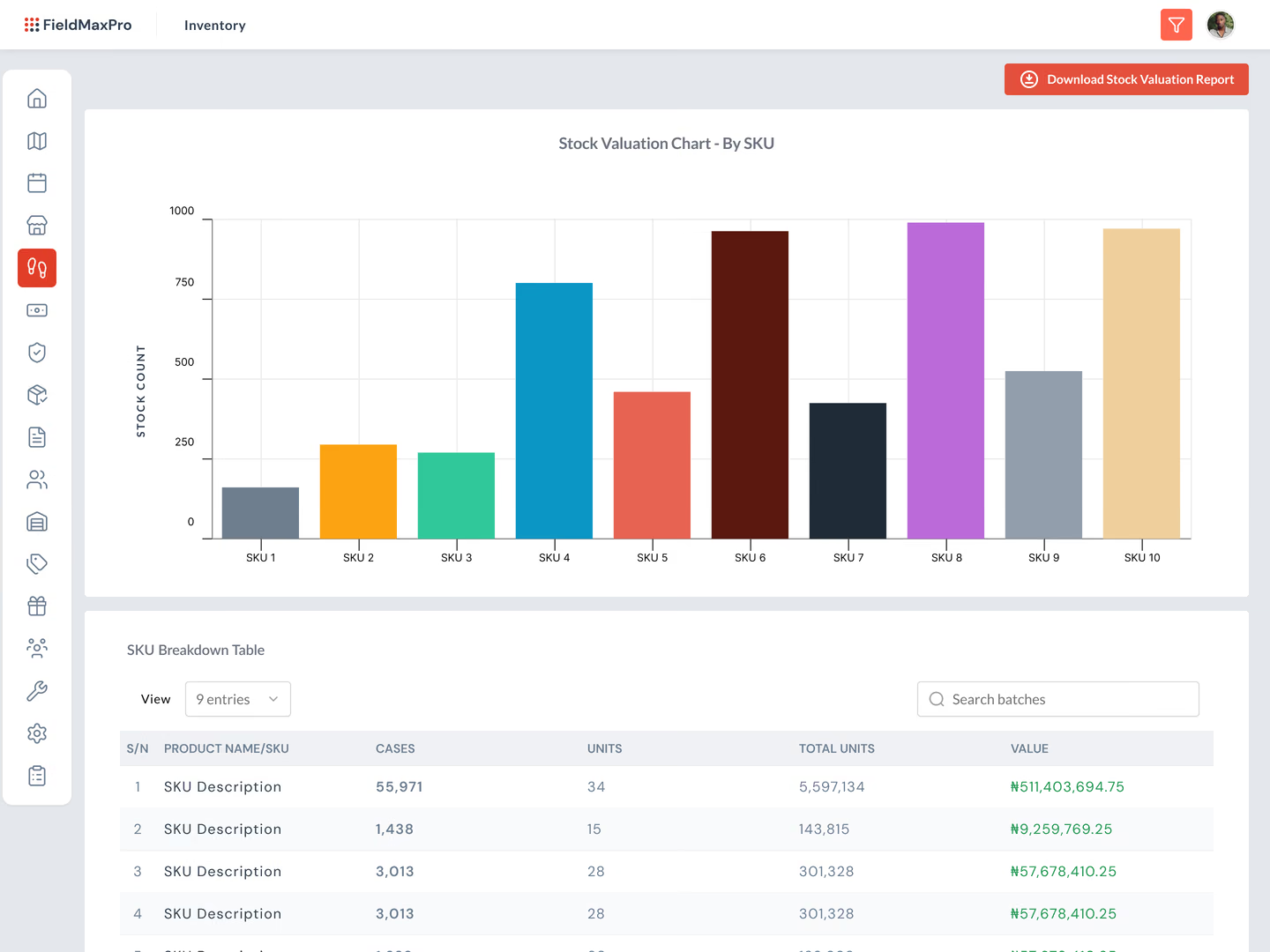
Products now come into the system in batches, each with a batch number and expiry date, and then get checked out to reps. Every rep has a running record of what they received at the start of the period, what they sold, what came back and what's left. When a product is returned damaged or expired, a manager can trace it to its batch. The inventory page shows product names, batches and expiry dates, plus warehouse stock by category.
Outlets and notes
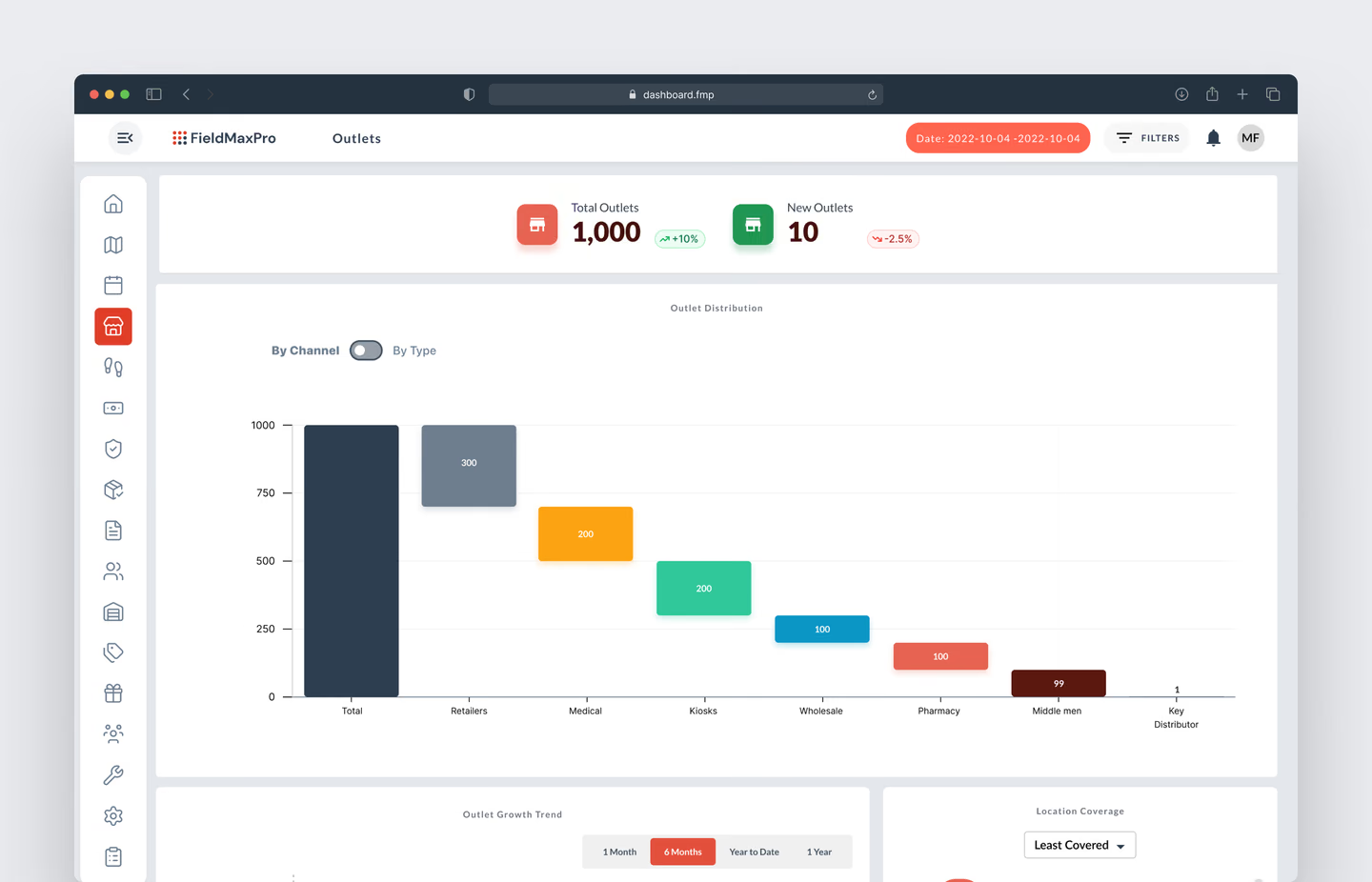
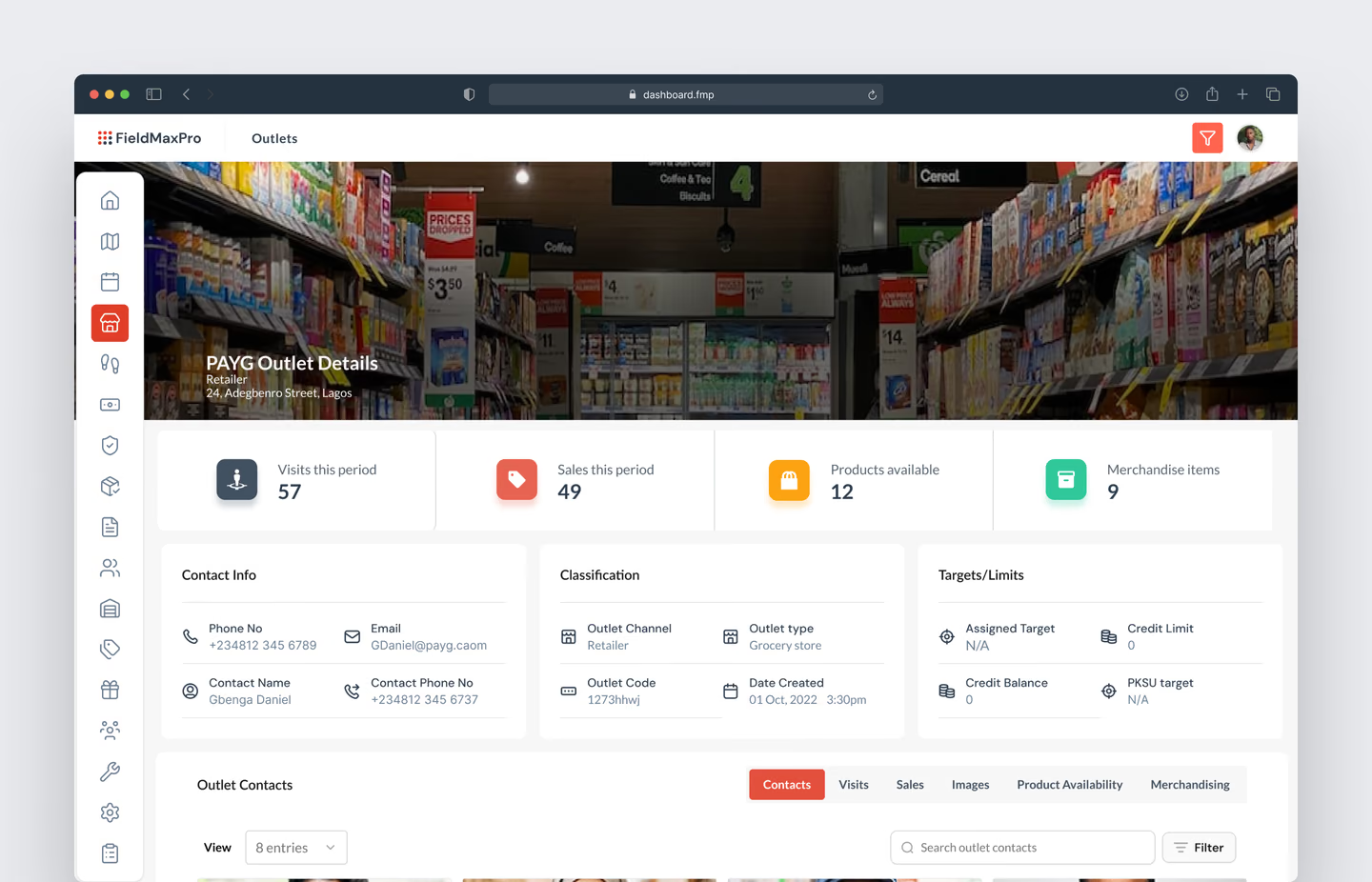
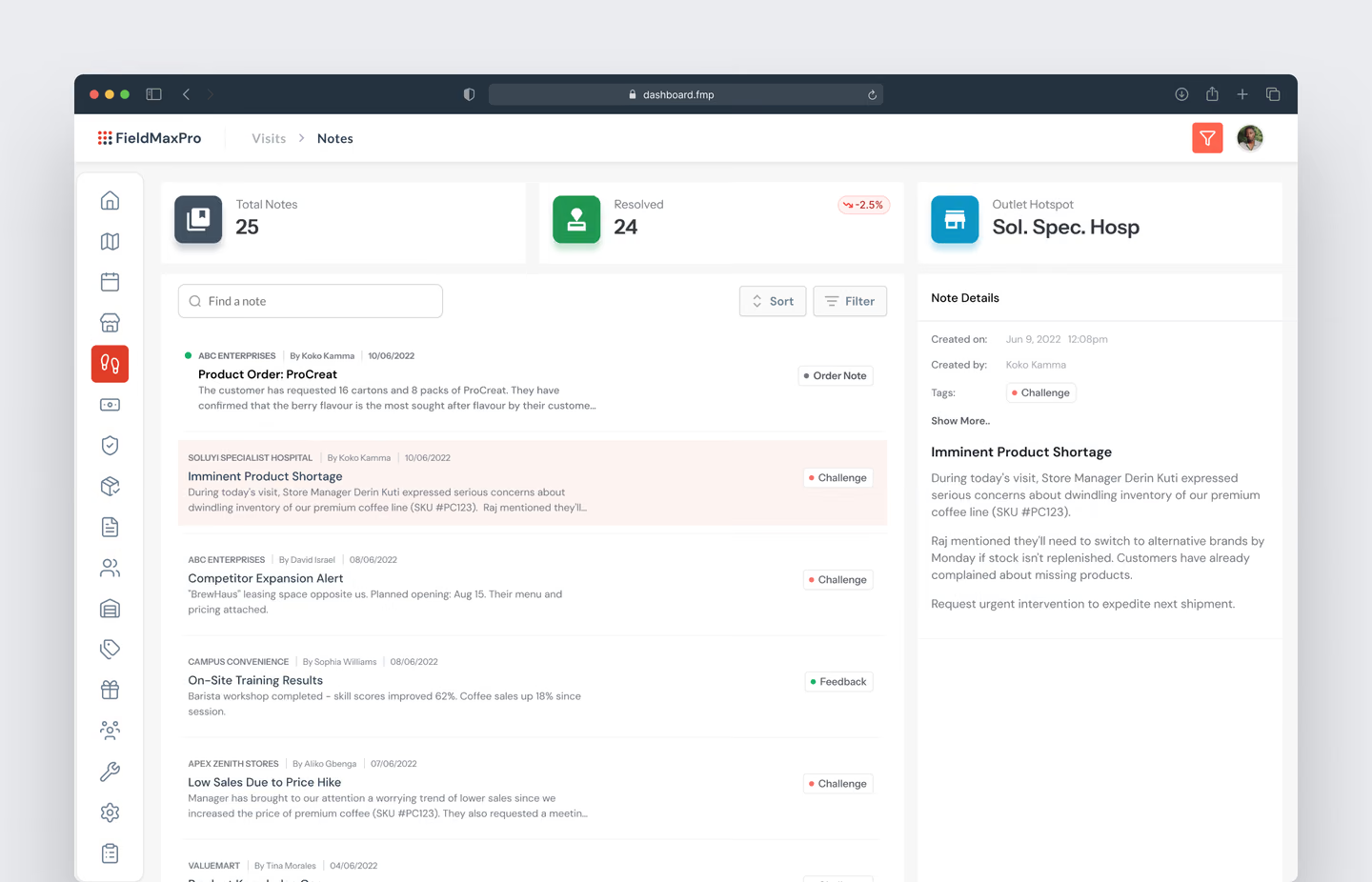
Each outlet now has one page with its full history: products in stock, notes, photos, merchandise given out, sales and visits. The outlets list adds a breakdown by classification and location, a growth trend, and the most visited outlets. Visit notes now sit together on one page, where managers can filter by category, search by outlet or rep, and download them as a CSV.
Routes
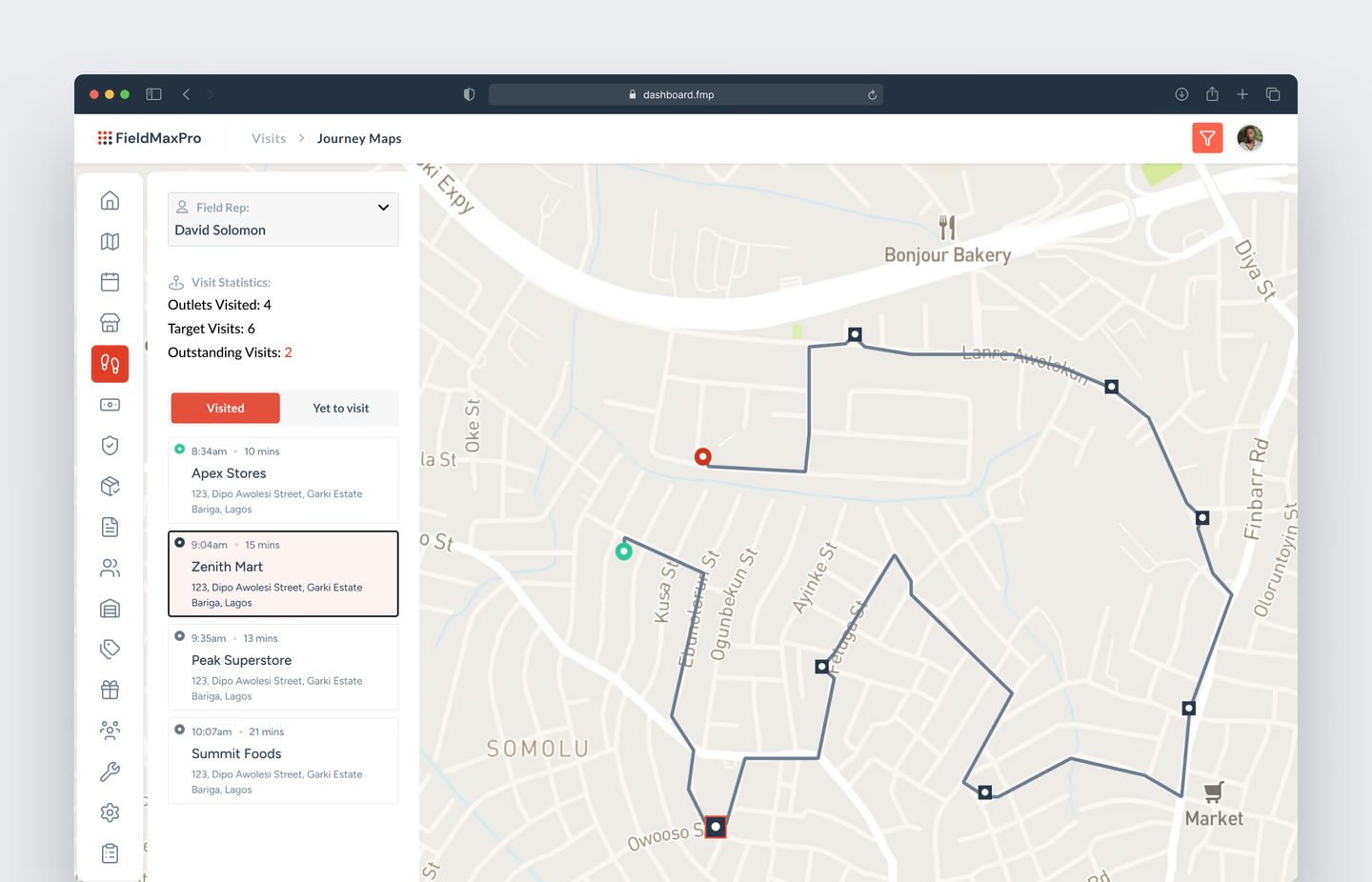
I added a journey map that connects a rep's visits in the order they happened. A manager can see where a route wastes driving time and help that rep plan a better one. The main map now groups nearby outlets into clusters when zoomed out and separates them as you zoom in, with a colour legend and a search bar.
Medical detailing
This module is new. When a pharmaceutical rep visits a hospital, they hold detailing sessions with doctors and other health professionals. Managers can now see each session: who the rep met, their contact details, the products discussed and how the doctor responded.
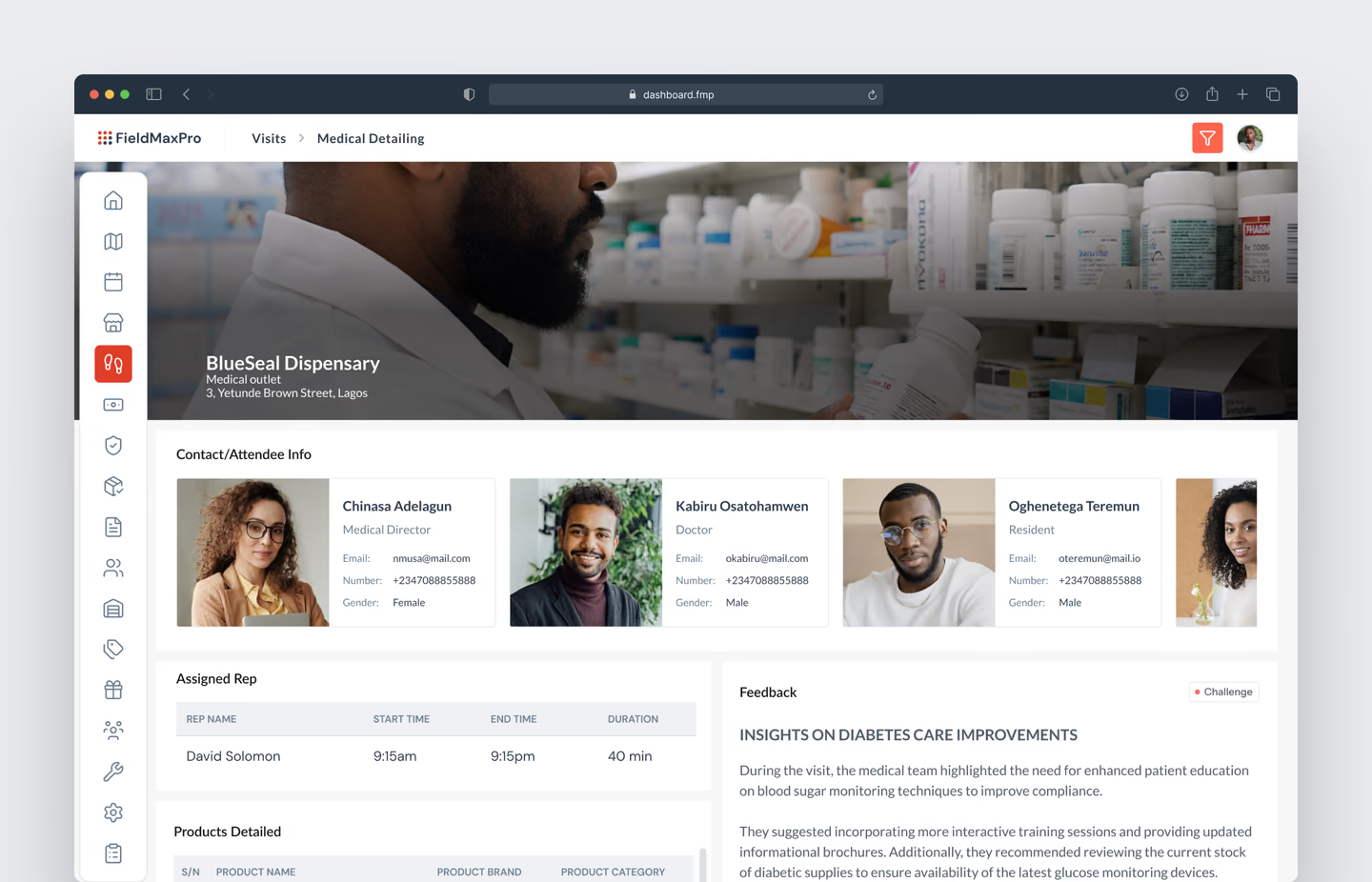
What the redesigned dashboard makes easier
The redesigned pages bring stock, outlet history, visit notes, and routes into views managers can scan and filter. The batch records also make it possible to trace a product from the warehouse to the rep carrying it.
How we know it worked
Papyrus's Head of Business Development and Customer Service reported, six months after the redesign launched, that complaint tickets about the dashboard had dropped by nearly 60% and that support tickets overall had dropped by about 33%.
CLIENT FEEDBACK
“After Chike redesigned the FieldMaxPro dashboard, complaint tickets about it dropped by nearly 60%. Our managers could find what their field teams were doing without opening records one by one. It was easier to access and analyse notes by categories. Our users could also better manage stock levels as stock counts, batches and expiry information were available on the dashboard.”
Tracy Oside, Head of Business Development, Papyrus Digital Solutions