Phoenix Dojang, Lagos
Designing and building a study app for a martial arts school, from first sketch to a Playstore build in about 4 weeks
How I put the dojang manual, technique videos and Korean terms on students' phones, and gave instructors tools to run gradings and classes.
I designed and built a study and class app for Phoenix Dojang, a martial arts school in Lagos. It gives students a way to study the school’s manual and practise between classes, while giving instructors tools to manage the school and make grading decisions.
ROLE
Product design and development, solo
TIMELINE
Four weeks, September–October 2026
PLATFORMS
Android and iPhone web app
STACK
Figma, Expo, React Native, TypeScript, Supabase, EAS and Netlify
STATUS
Google Play closed test; iPhone web app shared with dojang members
What students needed
Before the app, the printed manual and instruction at the dojang were the main ways to study. As grading approached, students repeatedly asked for access to the dojang manual and videos they could use to practise at home. They also had trouble remembering Korean technique names and key parts of the art’s history. Until then, the printed manual and class instruction were their main resources.
I worked with the beginner manual and the school’s instructions to shape the app. One detail needed particular care: the dojang practices a slightly leaner belt grading than the manual specifies.
The design question became: how can the app show the full curriculum students need, in the progression their instructors actually use?
The app had to preserve the material students were expected to learn while representing the current practices and process at the dojang.
Organising the curriculum
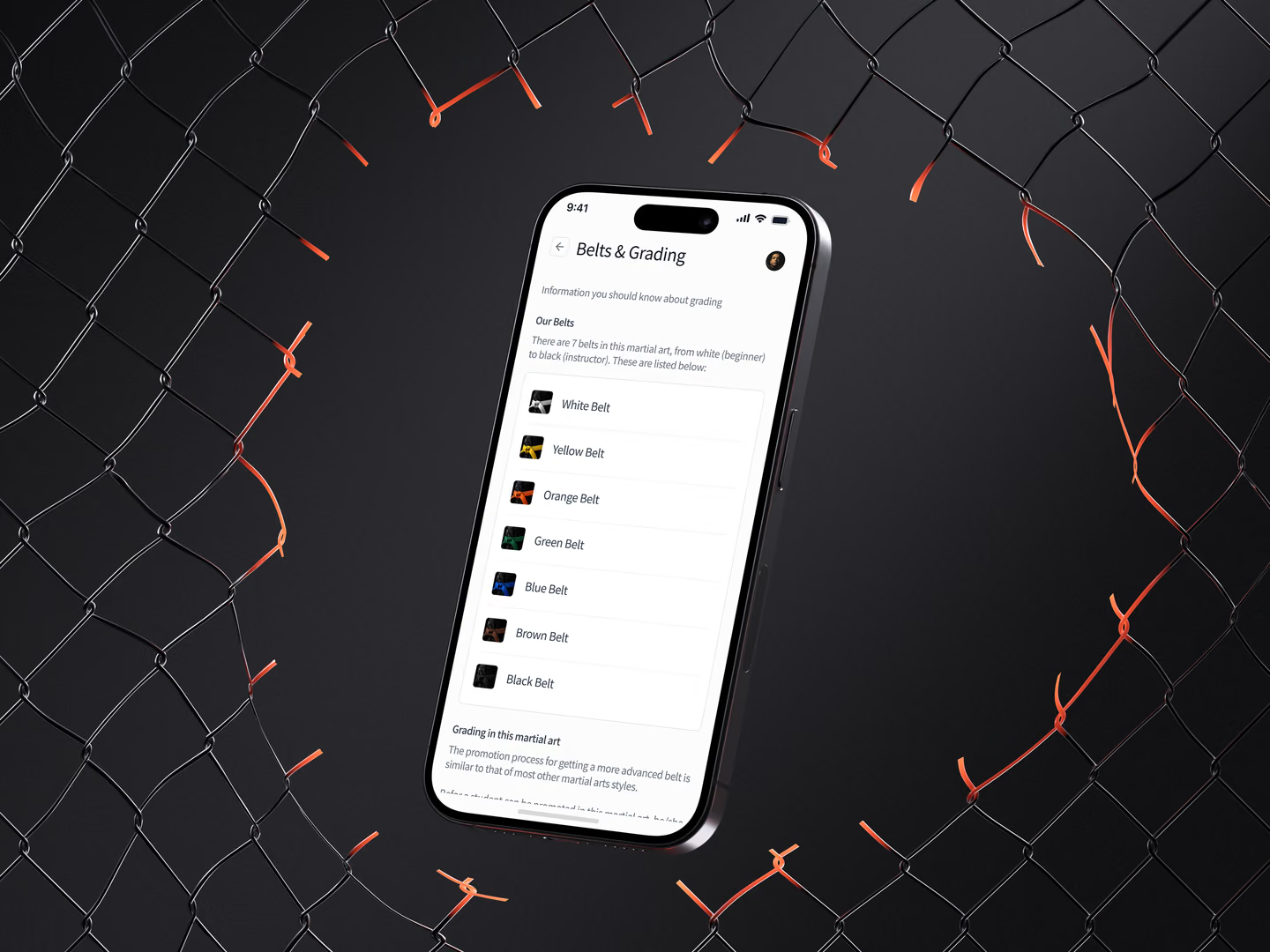
I treated learning and promotion as connected but separate jobs. The app can show what a student is training toward and help them practise the relevant material. It does not decide whether they are ready to advance.
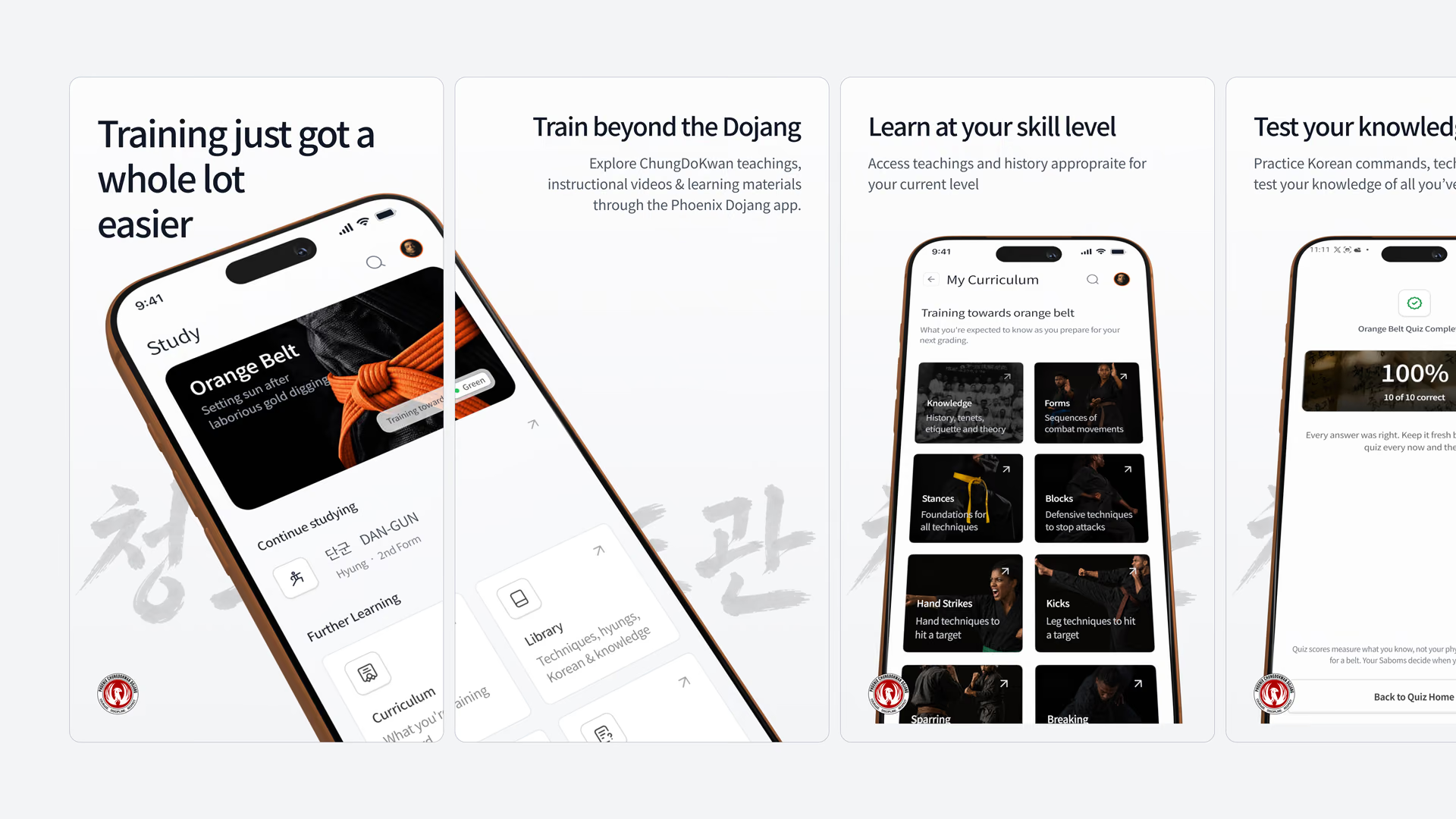
Students have a current belt and a belt they are training toward. “My Curriculum” uses the target belt to show what to study, while carrying forward techniques from earlier belts. Students can also use the “Library” to explore material beyond their current curriculum.
I kept grading decisions with the instructors. The app helps them score a grading and records the result, but a student’s rank changes only when an instructor confirms the promotion. There are no streaks, leaderboards or readiness scores as martial arts is focused on how the student executes what they’ve learned and trained for, not progress stats.
Putting each lesson in context
One core pain point was for students to remember Korean commands for techniques and practise both understanding and performing techniques outside class.
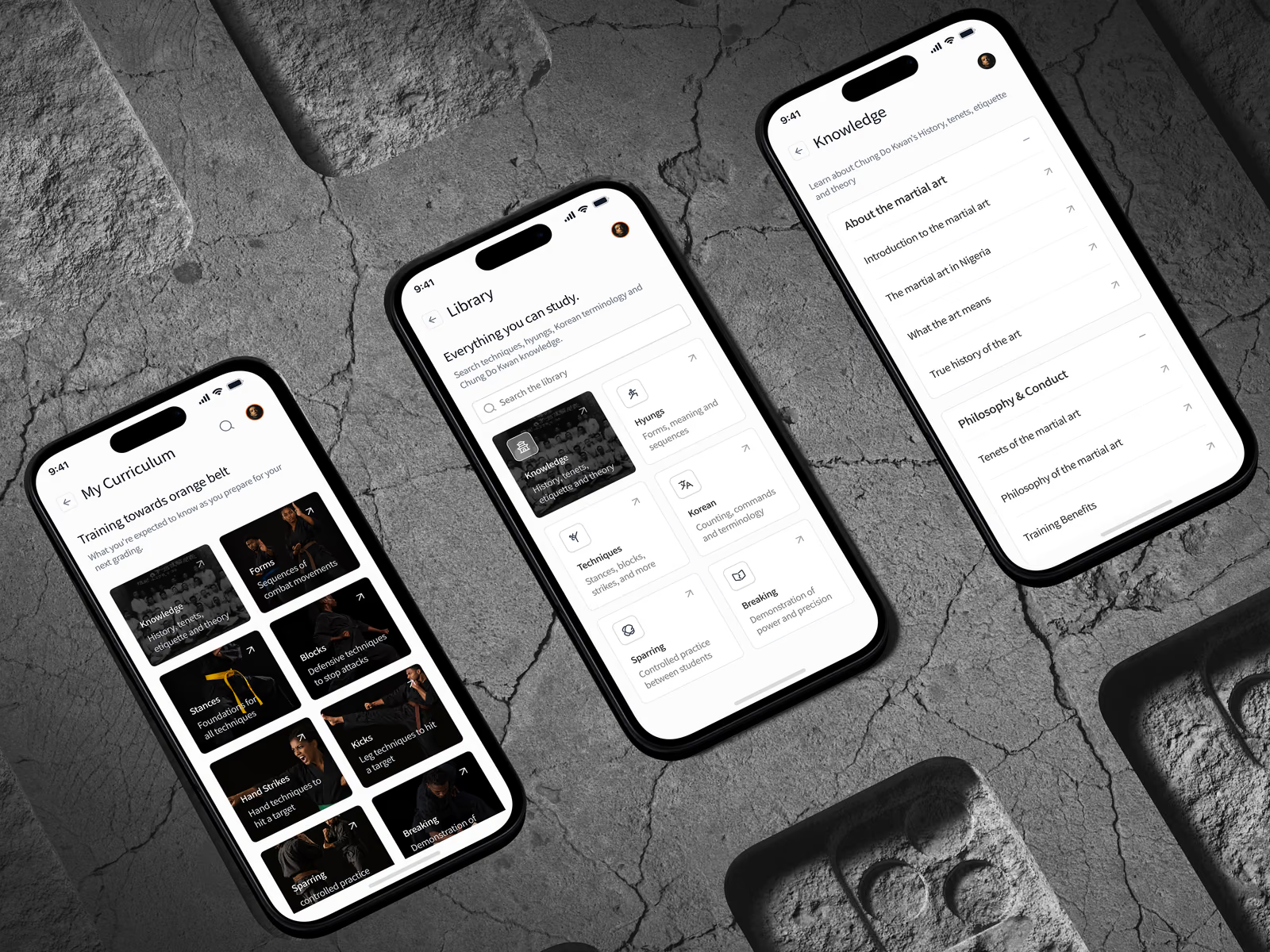
I designed and built each technique page to bring together its English and Korean names, pronunciation, video, written explanation and grading context. Students can watch a demonstration and refer to the written steps when they need them.
Because the manual names many techniques without explaining how to perform them, I added written breakdowns, but marked them as awaiting instructor review so students can see which explanations still need approval.
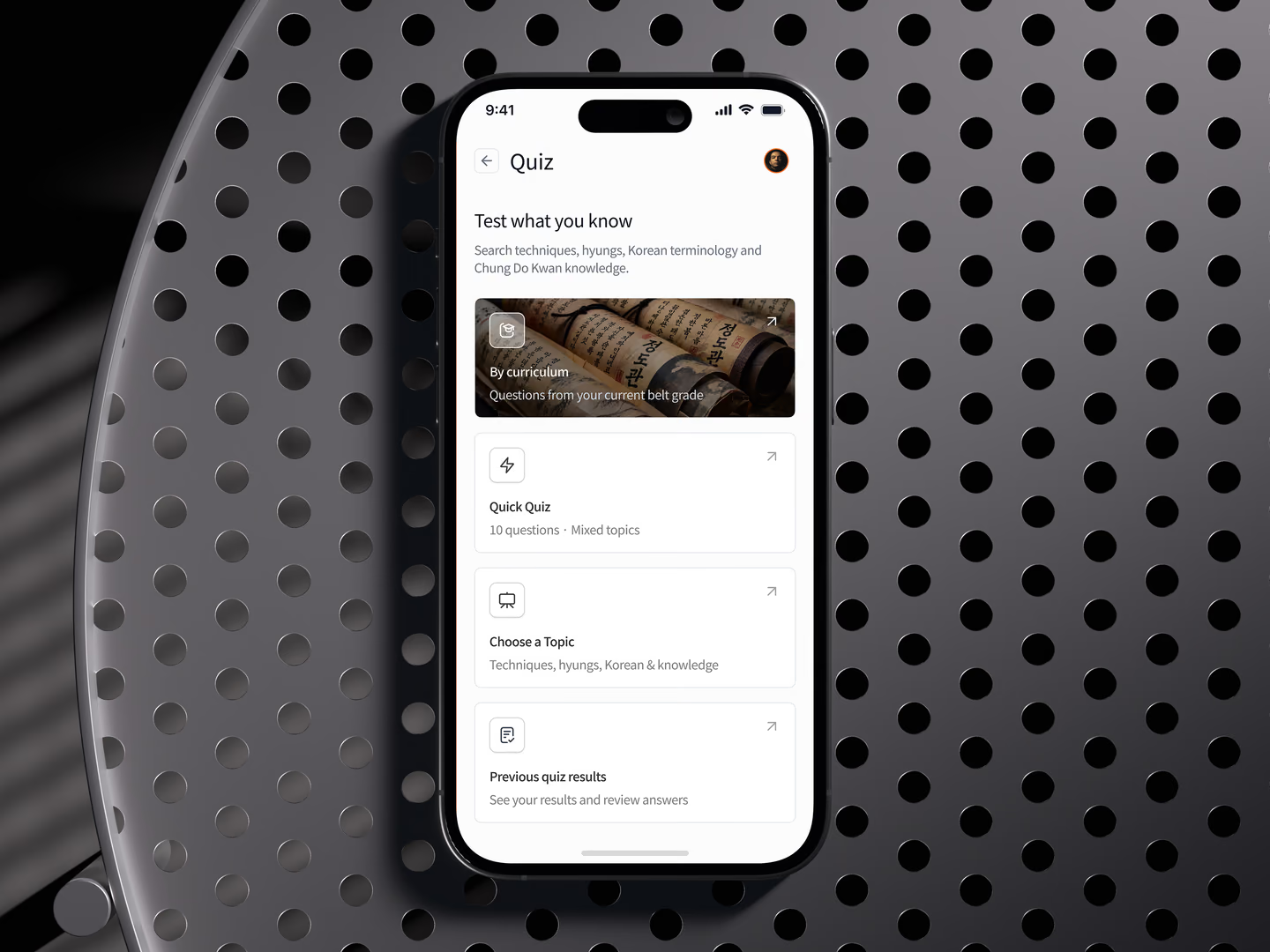
The Library also includes forms, knowledge and techniques students may want to study outside their current curriculum, while quizzes let them revisit material from a topic or their curriculum.
Designing for students, both young and old, as well as instructors
The app is for students aged 10 and above, including children. I considered safety measures to ensure that only the dojang instructors have access to children data via their guardians, and never directly.
Those measures mirror how the dojang is run day-to-day. There is no public sign-up: an instructor creates each student’s account. A child’s sign-in code goes to their parent or guardian, and children cannot change their birth date or guardian contact details in the app.
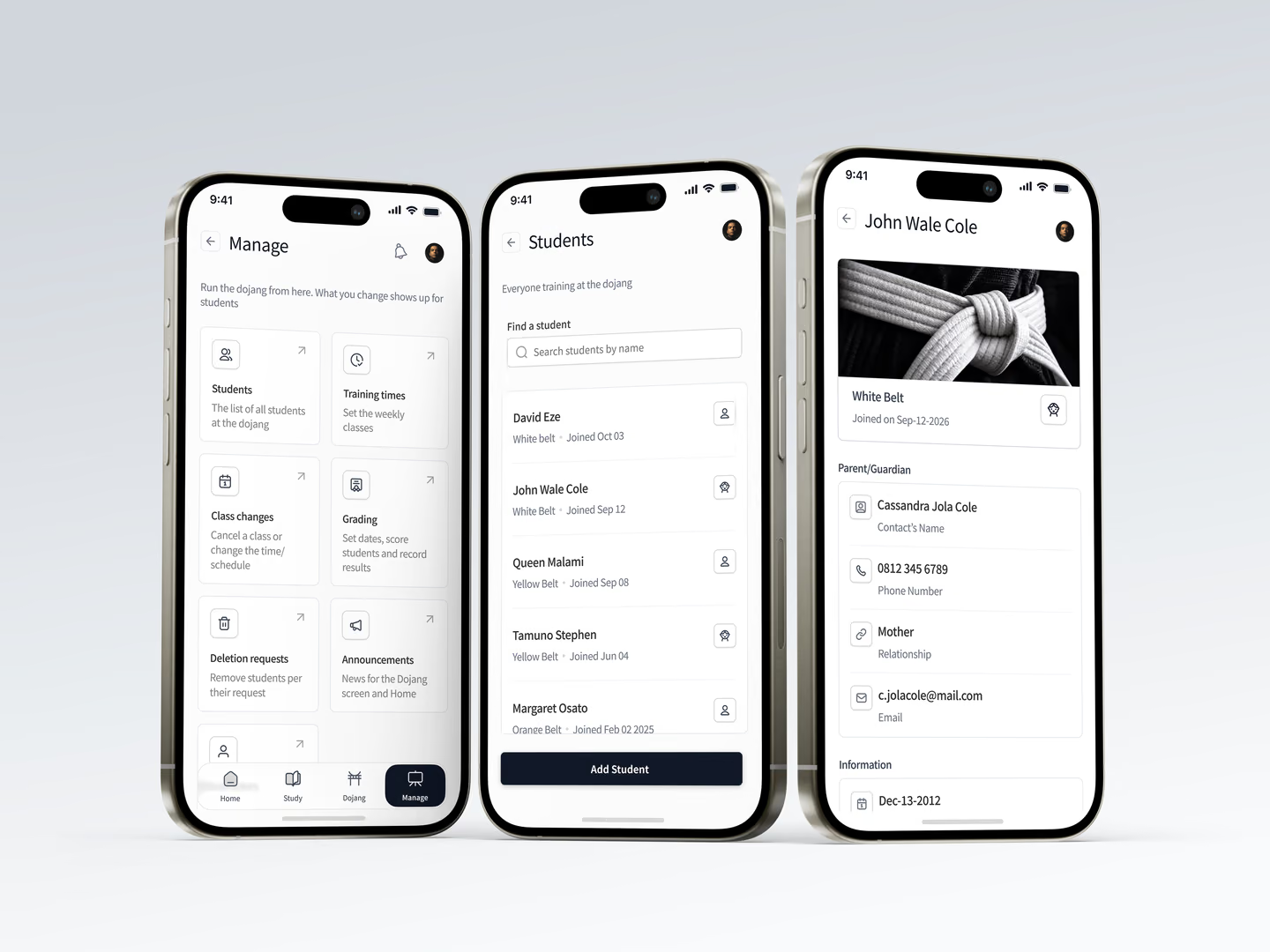
Instructors manage each student from the Students list. A child’s profile shows their belt and join date, the date of birth, and the parent or guardian’s name, relationship, phone number and email. Instructors use those guardian details to reach a child’s family, and the child cannot edit them.
Those choices also shape the instructor experience. The Manage area supports adding students, setting training times, posting announcements and running gradings. Instructors keep control of school records and promotion decisions, while students get a private place to study.
Building for mobile platforms
I built the shared app in Expo and React Native. Android students install through Google Play. For iPhone users, I made a web version that members can add to their Home Screen from Safari; it also supports web push notifications.
This let students on both platforms access the same core study and school experience, while fitting the way each group installs the app.
Build security
I worked closely with the Dojang’s Instructors to ensure the app was more secure than the current process of managing data.
This meant implementing structures to prevent unwanted signups and children’s data leaking. I also ensured that the app is lightweight by storing larger pieces of data in a database only accessible by the Dojang’s instructors. The app only fetches this data over a network connection.
357 automated tests cover the rules that matter most: ranks, ages, dates and sign-in.
Testing and current scope
The app is currently in its first release. The dojang opted to test with Android users first, however, to increase interest from students, I worked on a PWA that allows iPhone users use the app as well.
The dojang also wanted to start with the first 3 belts (white through orange) to gauge how well the app improves learning and training. This means that training content (the curriculum) for senior/more experienced students will be added via updates once the app has been approved on Playstore.
CLIENT FEEDBACK
“Chike did an amazing job. Our app looks so good, I'm spending hours using it daily”
Sunkanmi, Instructor, Phoenix Dojang